


This post may contain affiliate links. If you purchase through these links, we may earn a small commission at no additional cost to you. As an Amazon Associate we earn from qualifying purchases.
There’s a very specific kind of chaos that only happens when you work from home.
It looks like balancing your laptop on one knee while answering messages, realizing your battery is at 3%, and scrambling for a charger that somehow migrated to another room. It sounds like your neighbor deciding that 10:01 AM is the perfect time to mow their lawn — right when you unmute yourself in a meeting. It feels like the slow neck pain that creeps in after hours hunched over your dining table.
⭐ Best External Keyboard → See Price on Amazon
⭐ Best Laptop Stand → See Price on Amazon
⭐ Best Docking Station → See Price on Amazon
⭐ Best External Webcam → See Price on Amazon
⭐ Best Noise-Canceling Headphones → See Price on Amazon
Working from home can be flexible and empowering, but without the right work-from-home tech essentials, it can quickly become uncomfortable and distracting. But without the right work-from-home tech essentials, it can quietly turn into a productivity drain and a physical discomfort marathon.
The good news? You don’t need a Pinterest-perfect office or a huge budget. A few smart tech upgrades can make your workday smoother, more comfortable, and far less stressful.
Let’s talk about the work-from-home tech essentials that genuinely improve daily life — not just look pretty on a desk setup.
Work-From-Home Tech Essentials
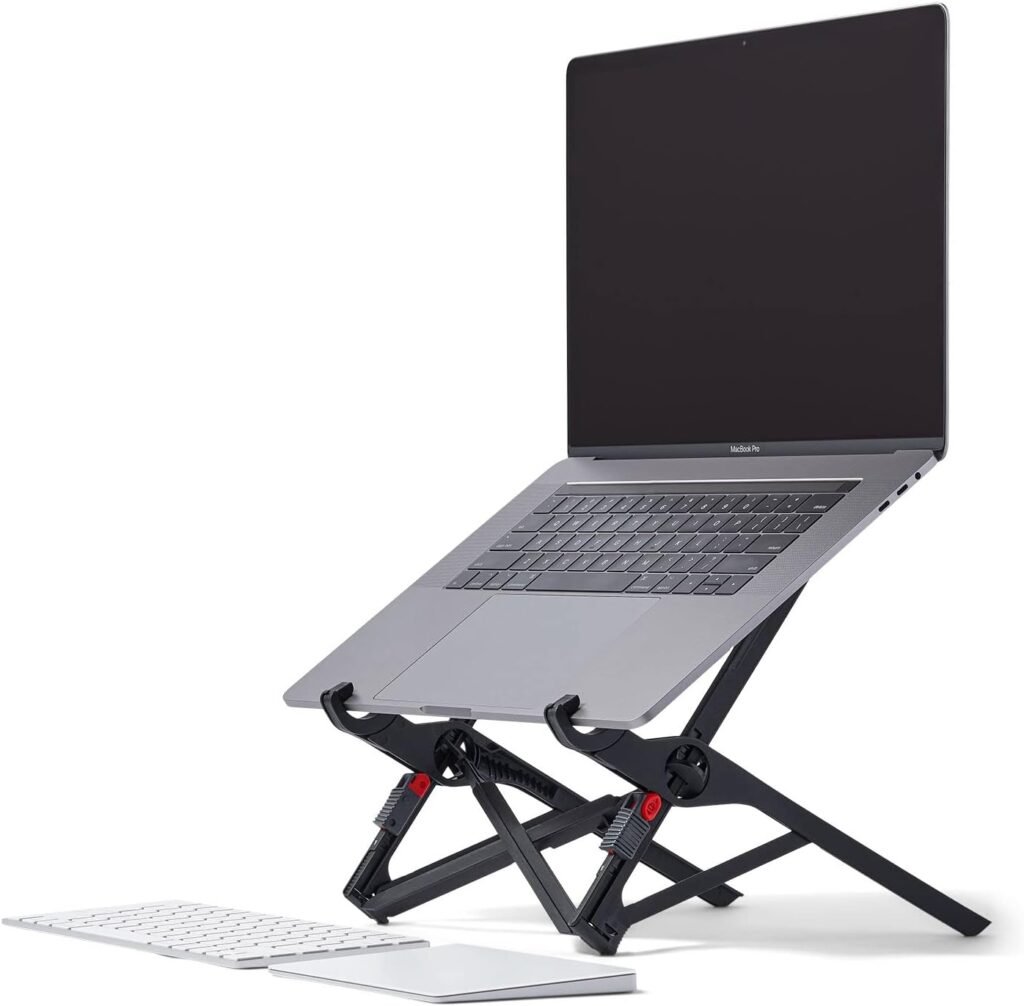
Laptop Stand for Better Posture
- Raises laptop screen to eye level
- Reduces neck, shoulder, and upper-back strain
- Lightweight and portable for travel or flexible workspaces
Laptop Stand: The Most Worth-It Ergonomic Upgrade
Before anything else, we start with the basics. Because if your main work tool is uncomfortable to use, everything else feels harder than it needs to be.
The Foundation of Your Laptop Setup
If you’re working directly on a flat laptop, chances are your neck is doing that forward “turtle pose” all day. This posture puts real strain on your shoulders and upper back. Over time, it can lead to headaches, fatigue, and that tight, achy feeling that never quite goes away.
A laptop stand lifts your screen to eye level, instantly improving posture and reducing strain. This is one of those upgrades that feels small — until you try it and realize how much better your body feels.
This is absolutely one of those items worth investing in if you work from home regularly.
When choosing one, look for:
- Adjustable height options
- A sturdy, non-wobbly frame
- Ventilation to prevent overheating
- Foldable or portable designs if you move around
Avoid ultra-cheap stands that feel flimsy — they often wobble when typing and end up unused. There are plenty of simple, affordable options available online that work beautifully.
Practical takeaway: If you only upgrade one thing, start here. It delivers the biggest comfort payoff.
External Keyboard and Mouse: Everyday Comfort You’ll Notice Immediately
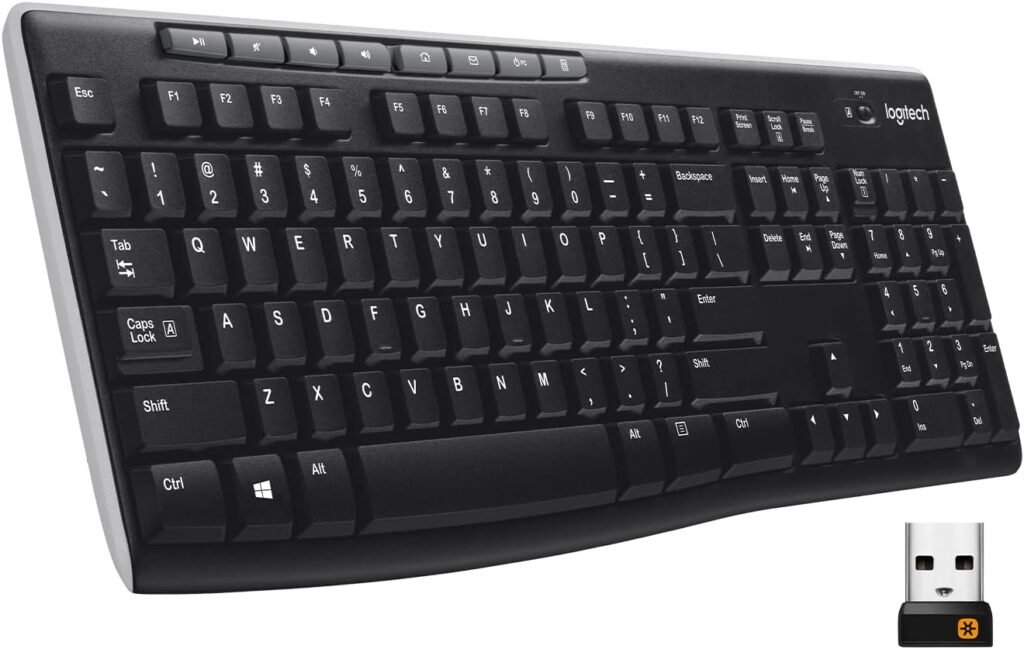
Wireless Keyboard for Comfortable Typing
- Full size keyboard with number pad
- Reliable 2.4 GHz wireless connection
- Long battery life (up to 24 months)
Typing directly on a laptop forces your hands into a cramped position. It may not feel like a big deal at first, but over time it can cause wrist strain and fatigue.
An external keyboard and mouse allow your arms to sit naturally at desk height, which reduces tension and improves typing speed. This is one of those purchases that quietly improves every single workday and belongs on every home office setup essentials list.
When choosing these – Look for:
- Ergonomic or low -profile designs
- Wireless connectivity to reduce clutter
- Quiet keys if you’re in meetings often
Avoid:
- Super tiny travel keyboards for full-time use
- Mice that are too small for your hand size
Many budget-friendly sets work perfectly well — you don’t need anything fancy to feel the difference.
Practical takeaway: Think of this as daily comfort insurance.
Productivity-Boosting Work-From-Home Tech Essentials
Once your setup is comfortable, the next step is reducing mental friction.
These tools help your brain work more efficiently.
Second Monitor: The Ultimate Multitasking Upgrade
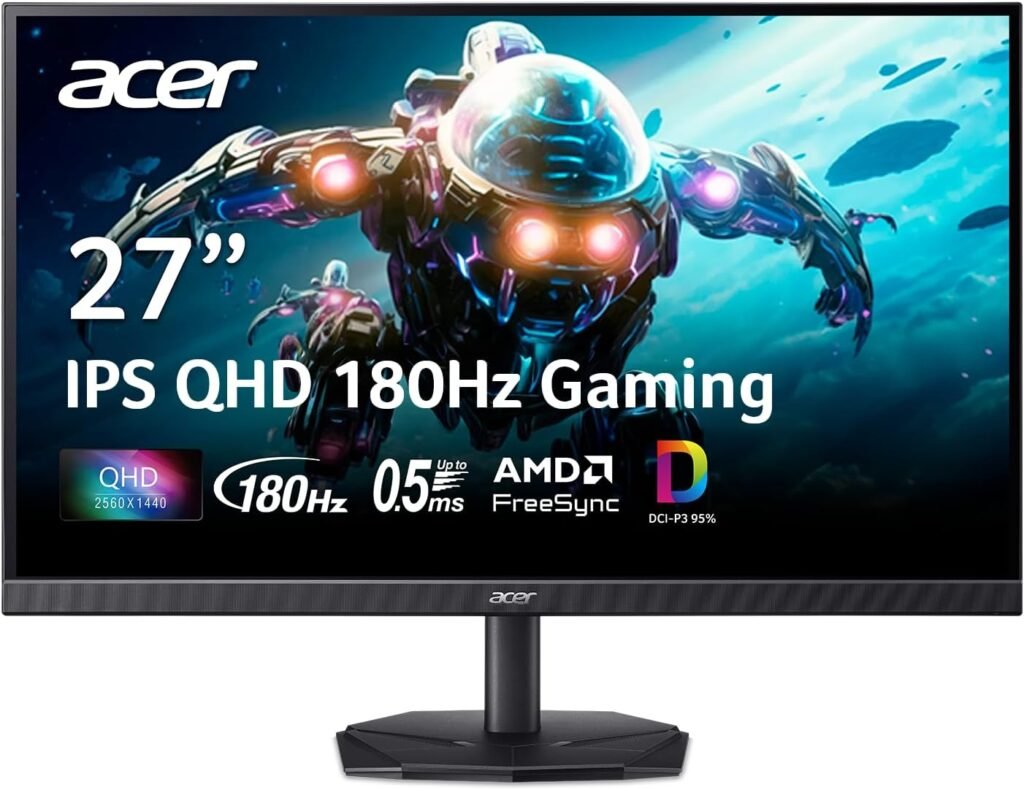
Second Monitor for Better Producivity
- Smooth refresh rate for comfortable viewing
- Great for multitasking, research, and content creation
- Sharp 2560×1440 QHD resolution
If you constantly switch between tabs, apps, and windows, you’re not alone. A second monitor reduces mental load by letting you see multiple things at once.
You can:
- Keep email open while working
- Reference notes during meetings
- Compare documents side by side
This is one of those upgrades that dramatically improves productivity almost instantly and is often listed among the most important remote work productivity tools.
If your work involves writing, spreadsheets, research, or design, this quickly becomes a non-negotiable.
When choosing these – Look for:
- Eye-friendly matte screens
- Adjustable brightness
- Thin, lightweight designs for small spaces
Avoid:
- Oversized monitors if you have limited desk space
- Cheap displays with harsh glare
Portable monitors are especially great for small apartments or flexible workspaces. Practical takeaway: This upgrade saves time and reduces mental fatigue daily.
Docking Stations and USB Hubs: The Cable Chaos Solution
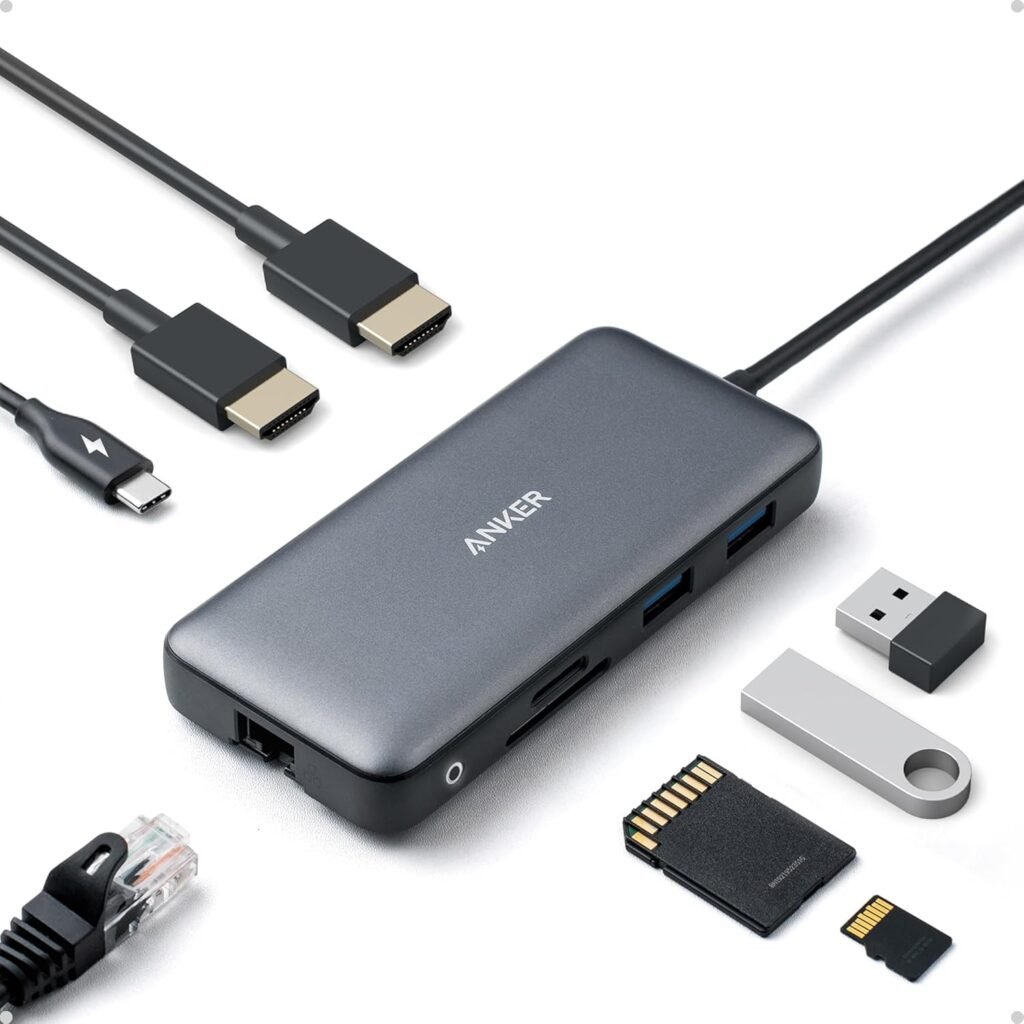
Docking Station for Connecting Multiple Devices
- Adds extra USB ports
- Supports power delivery charging
- Reduces desk clutter by centralizing connections
Modern laptops often come with very few ports, which means constant plugging and unplugging.
A docking station or USB hub connects multiple devices through a single cable. This instantly makes your workspace feel more organized and less frustrating. This is one of those practical purchases that pays off in reduced daily annoyance.
When choosing these – Look for:
- Multiple USB ports
- Fast charging capability
- HDMI or display connectivity
Avoid:
- Extremely cheap hubs that overheat or disconnect easily
- There are many reliable mid-range options that last for years
Practical takeaway: Less cable juggling equals less stress.
Focus-Enhancing Work-From-Home Tech Essentials
Working from home comes with built-in distractions — noise, interruptions, and constant background activity. These tools help create a focus-friendly environment.
Noise-Canceling Headphones: Your Portable Focus Bubble
Noise Canceling Headphones
- Built in microphone for meetings and calls
- Up to 35 hours of battery life
- Bluetooth wireless connection
- Comfortable for long listening sessions

Noise-canceling headphones don’t just block sound — they signal to your brain that it’s time to focus.
They’re especially helpful if you:
- Share your living space
- Live in a noisy area
- Need deep concentration time
This is one of those investments that can dramatically improve productivity and reduce stress.
When choosing these – Look for:
- Comfortable ear cushions
- Long battery life
- Adjustable noise-canceling levels
Avoid:
- Cheap models that only reduce sound slightly
- Even mid-range options now provide excellent performance.
Practical takeaway: Think of these as a “do not disturb” sign for your brain.
External Webcam: A Small Upgrade With Big Confidence Benefits
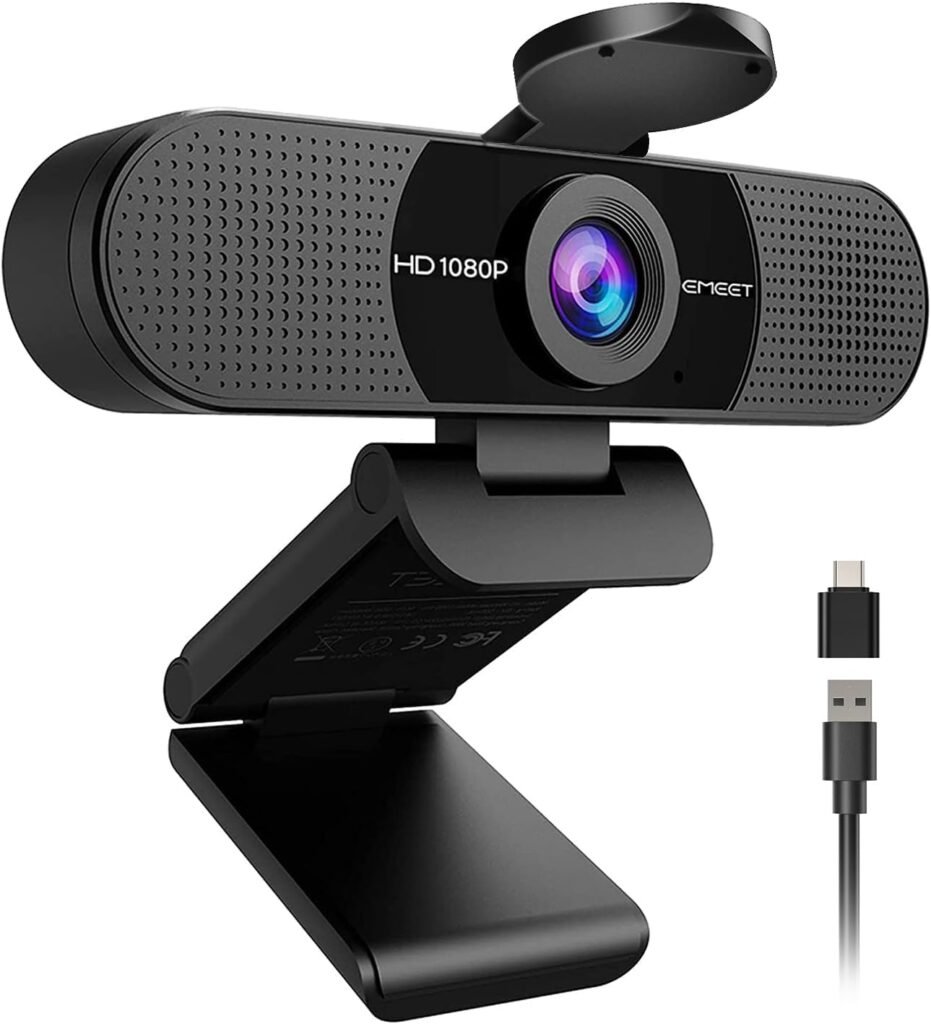
Webcam for Clear Video Calls
- Full HD 1080p video quality
- Wide-angle lens for better framing
- Built-in microphones for clear audio
- Plug and play USB setup
Laptop webcams are notoriously unflattering. A dedicated webcam improves image clarity and lighting balance, which can boost confidence during meetings. This is particularly useful if you’re on frequent video calls.
When choosing these – Look for:
- Full HD resolution
- Low-light adjustment
- Easy clip mounting
Avoid:
- Ultra-wide angles that distort your face
- There are plenty of affordable, plug-and-play options that work beautifully.
Practical takeaway: This upgrade makes meetings feel less stressful and more professional.
Comfort-Supporting Work-From-Home Tech Essentials
Working from home should not mean sacrificing physical well-being. These tools help protect your body throughout the day.
Adjustable Desk Lamp: Protecting Your Eyes and Energy
LED Desk Lamp
- Adjustable brightness levels
- Flexible gooseneck for precise lighting
- Clamp design saves desk space
- Energy-efficient LED lighting
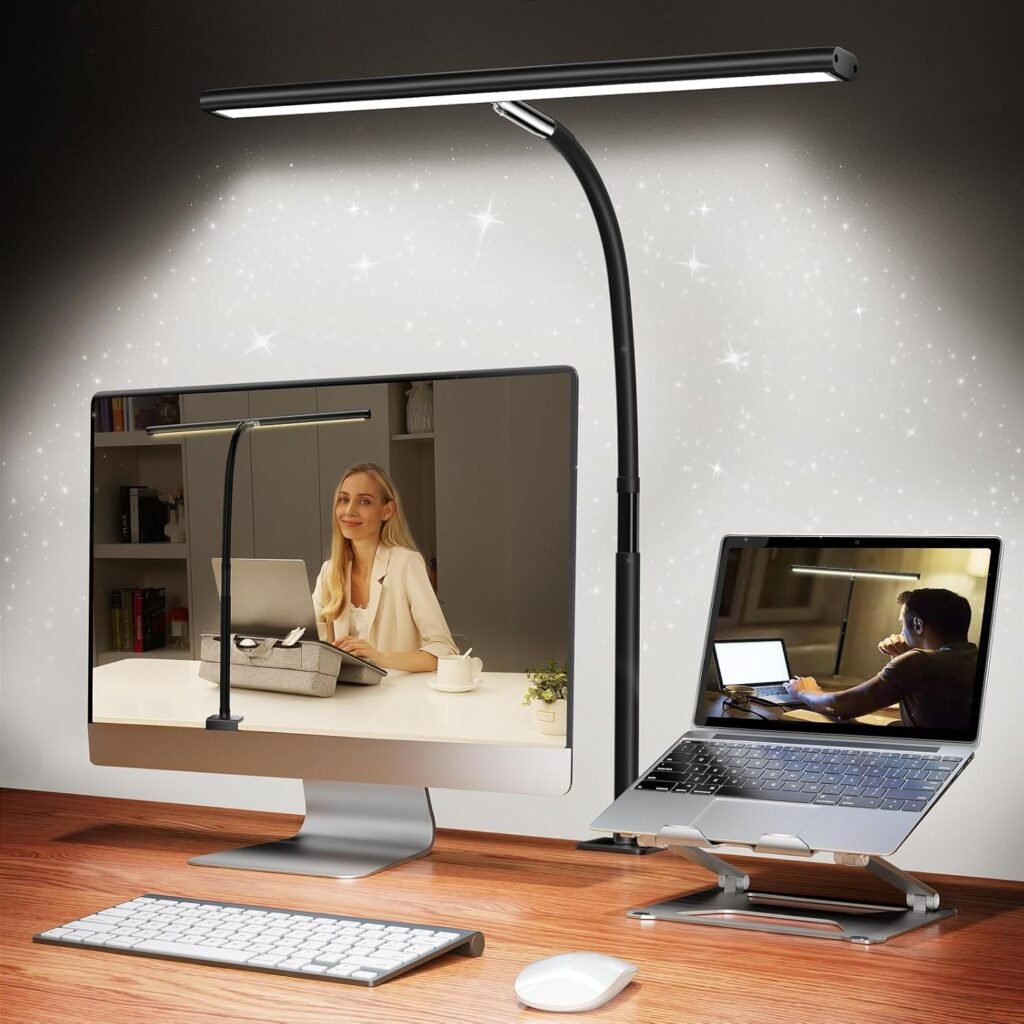
Poor lighting causes eye strain, headaches, and fatigue. An adjustable desk lamp allows you to control brightness and direction, which reduces screen glare. This is one of those underrated upgrades that improves comfort immediately.
When choosing these – Look for:
- Adjustable brightness levels
- Warm and cool light settings
- Flexible positioning
Avoid:
- Fixed lamps with harsh, unchangeable lighting
Practical takeaway: Good lighting supports focus and prevents fatigue.
Footrests and Under-Desk Support Tools
Adjustable Footrest That Supports Proper Sitting Posture
- Massage rollers help relieve tension during long work sessions
- Lightweight design makes it easy to reposition throughout the day
- Adjustable height positions feet comfortably under the desk
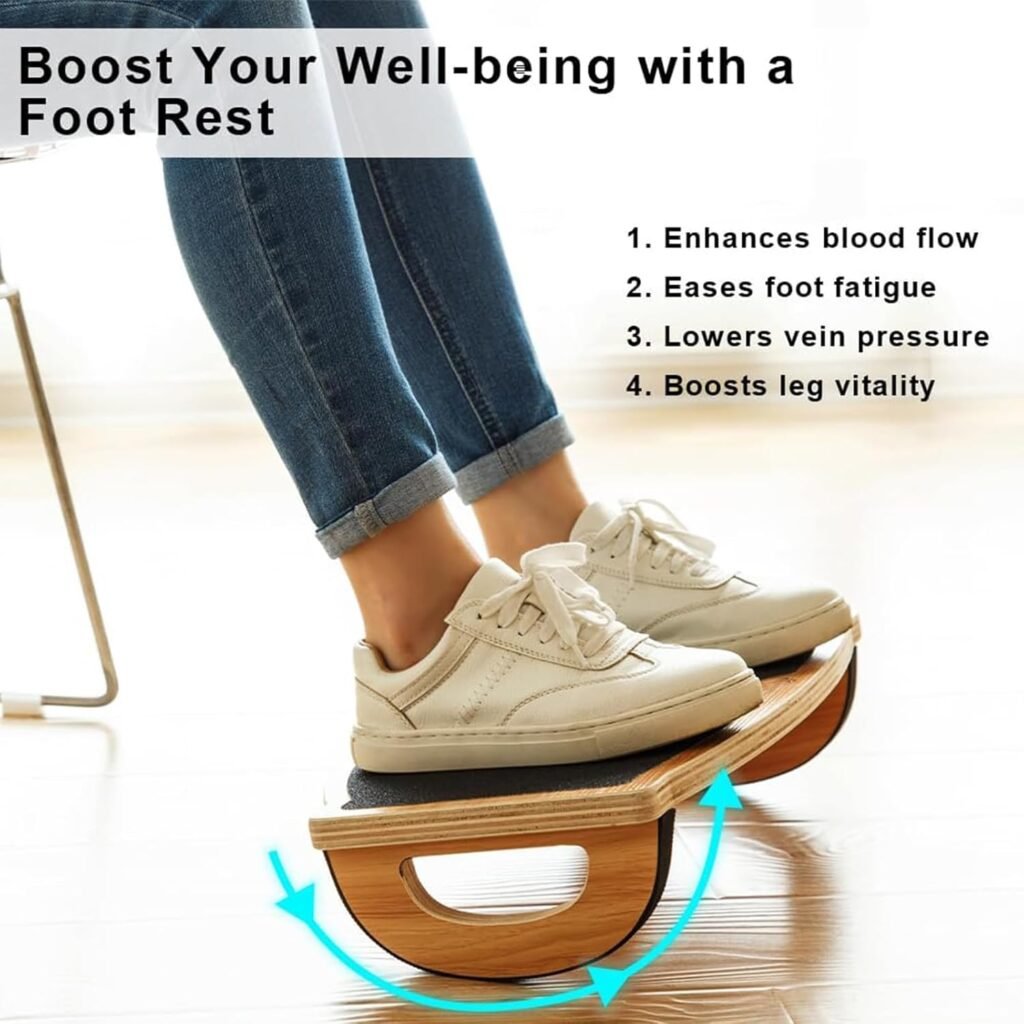
Supporting your feet helps maintain better posture and reduces lower back tension. Many modern footrests include adjustable angles or gentle rocking features to improve circulation. This is especially helpful if your chair height isn’t perfectly aligned.
When choosing these – Look for:
- Adjustable height
- Non-slip base
- Comfortable surface
Avoid:
- Lightweight models that slide easily
Practical takeaway: Small comfort upgrades make long workdays more sustainable.
Organization-Friendly Work-From-Home Tech Essentials
A cluttered desk creates mental noise.
These tools help maintain a calm, visually clean environment.
Cable Management Tools: Tiny Purchases, Big Calm
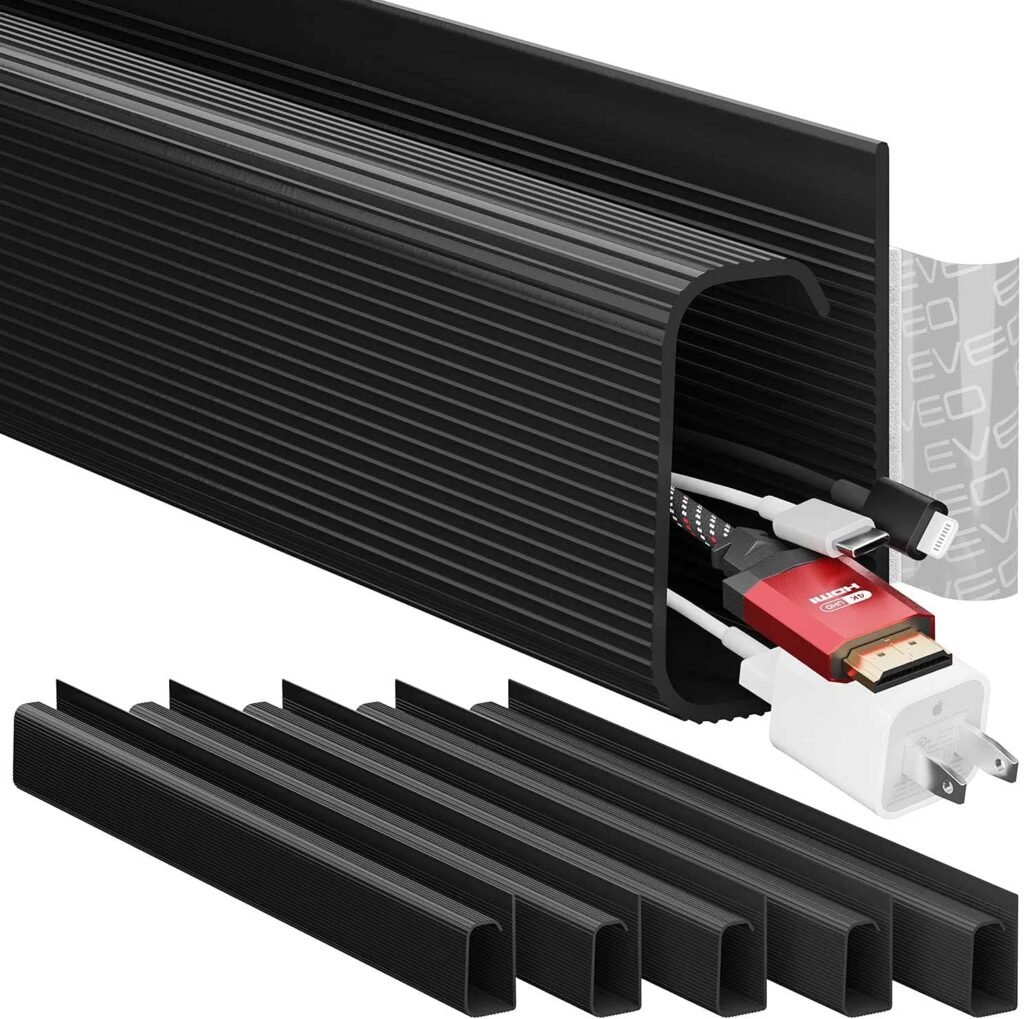
Cable Management for a Clean Desk
- Hides and organizes cables under the desk
- Protects cords from damage
- Easy adhesive installation
- Reduces clutter and improves workspace aesthetics
Cable clips, cord organizers, and velcro ties keep wires tidy and out of sight. This is one of the lowest-cost upgrades that instantly makes a workspace feel more peaceful.
When choosing these – Look for:
- Reusable materials
- Easy installation
- Neutral colors that blend into your space
Practical takeaway: Visual calm supports mental clarity.
Wireless Charging Pads: Small Convenience, Daily Impact
Wireless Charging Pad for Convenience
- Fast wireless charging for compatible phones
- Compact and lightweight
- Reduces cable clutter
- Works with many iPhone and Android devices
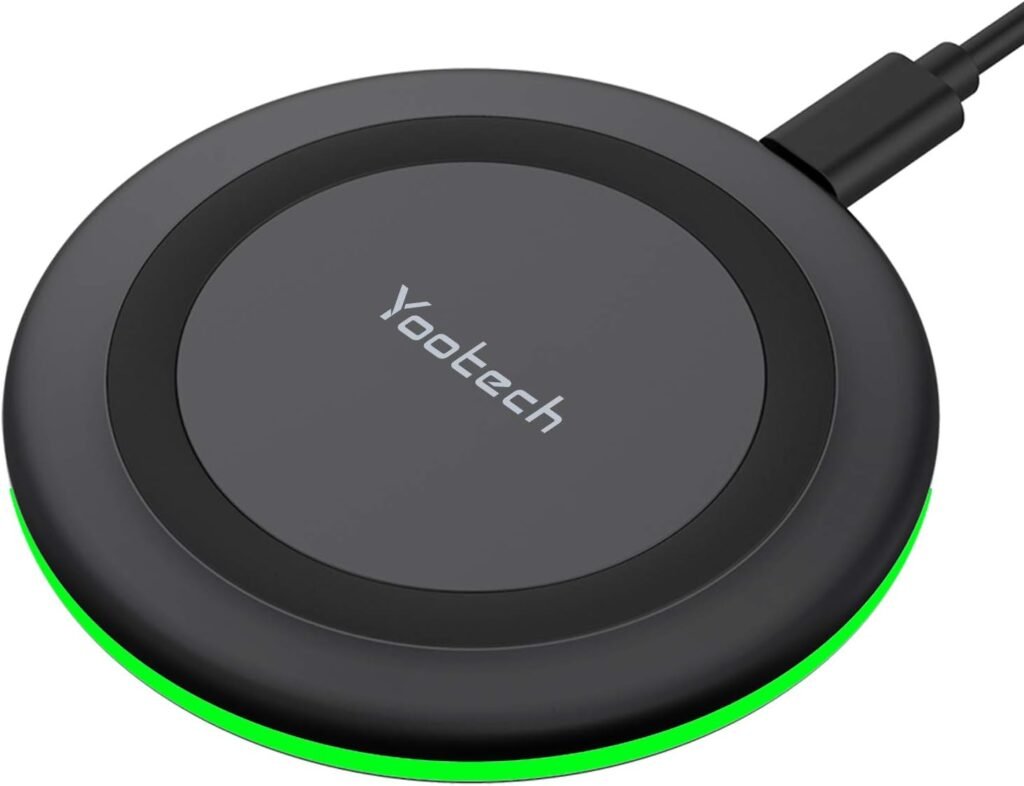
A wireless charging pad eliminates the daily hunt for phone cables. You simply place your device down and it charges automatically. This is a small upgrade that reduces tiny frustrations throughout your day.
When choosing these – Look for:
- Fast charging compatibility
- Non-slip surface
- Multi-device charging options
Avoid:
- Cheap pads that overheat or charge slowly
Practical takeaway: Less friction equals smoother routines.
Work-From-Home Tech Essentials That Helps You Protect Your Energy and Boundaries
Working from home can blur the line between work and rest. These tools help create healthy boundaries.
Smart Plugs and Timers: Automating Work-Life Balance
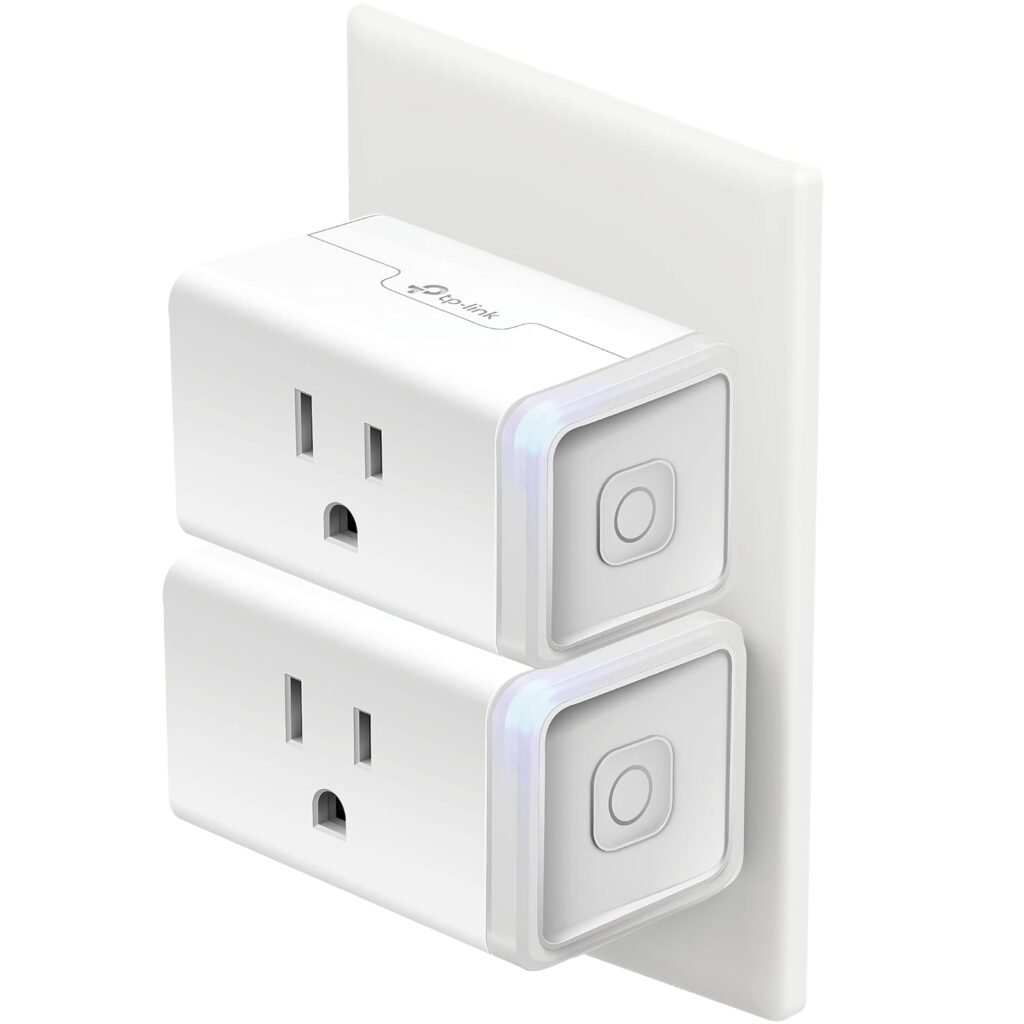
Smart Plug for a Smarter Home Office
- Voice Control Convenience
- Remote control from your phone
- Create automated schedules
- Quick and simple setup
Smart plugs can turn off lights or devices at a scheduled time, creating a physical signal that the workday is over. This is one of those surprisingly powerful tools for preventing burnout.
When choosing these – Look for:
- App-based controls
- Scheduling features
- Compatibility with your home setup
Practical takeaway: Automation supports healthier routines.
Blue Light Filters and Screen Tools
Blue Light Screen Protector
- Reduces digital eye stain
- Anti-glare protection
- Easy to install and remove
- Improves sleep quality
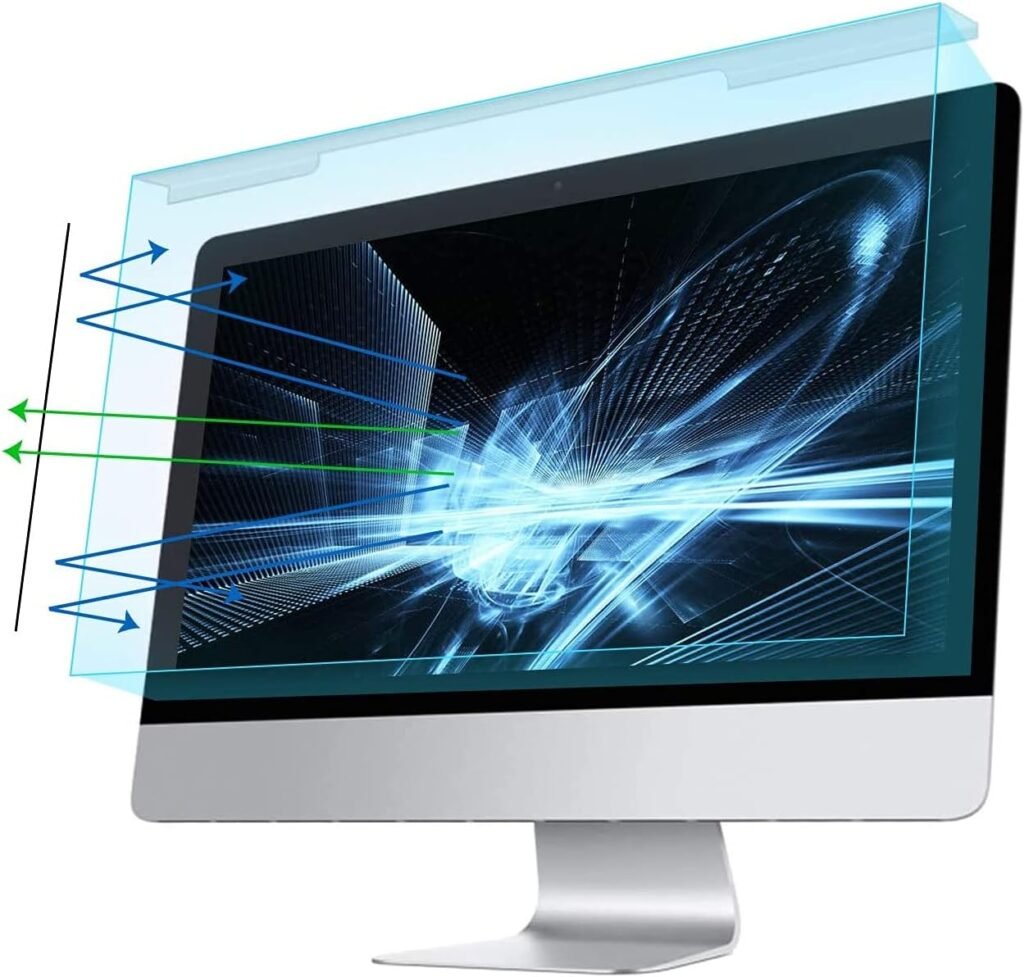
Long hours of screen exposure can disrupt sleep and strain your eyes. Blue light filters reduce harsh light and help support better nighttime rest. Most devices now include built-in settings, so this is an easy, low-cost upgrade.
Practical takeaway: Limiting blue light exposure in the evening may help support healthier sleep cycles. Protecting sleep-Protects productivity.
How to Choose the Right Work-From-Home Tech for You
It’s easy to feel like you need every “must-have” gadget. But the best setup solves your real daily frustrations.
Ask yourself:
- What causes the most discomfort?
- What slows me down?
- What drains my energy?
Start there. You don’t need everything — just the tools that support your lifestyle.
A Simple Upgrade Priority List
If you’re building your setup step by step:
- Laptop stand
- External keyboard and mouse
- Proper lighting
- Noise-canceling headphones
- Second monitor
- Docking station
- Noise Canceling headphones
- Organization tools
This order focuses first on comfort, then productivity, then convenience.
The Bigger Picture: Tech Should Support You, Not Overwhelm You
A good work-from-home setup isn’t about aesthetics or perfection. It’s about reducing friction.
The right tools quietly support your posture, focus, and energy so your workday feels smoother and less exhausting. Because working from home should feel like your environment is helping you — not fighting you. Start Small, Build Slowly
You don’t need to upgrade everything at once. Choose one item that solves your biggest daily annoyance. Try it for a few weeks. Notice how it changes your comfort and productivity. Small improvements compound over time. And suddenly, your workday feels calmer, easier, and far more manageable.
Frequently Asked Questions
What are the most important work-from-home tech essentials?
A laptop stand, external keyboard, and good lighting provide the biggest comfort improvements.
Do I need expensive equipment?
No. Many affordable options work perfectly well.
Is a second monitor necessary?
If you multitask frequently, it significantly improves efficiency.
How can I improve a small workspace?
Use wireless accessories, portable monitors, and cable organizers.
What helps reduce work-from-home burnout?
Noise-canceling headphones, smart plugs, and blue light filters support better boundaries and rest.
Looking for More Real-Life Ways to Make Everyday Life Easier?
If your work-from-home setup feels a little chaotic or uncomfortable, you’re not alone — and you’re definitely not doing anything wrong.
Most people didn’t plan their workspace. It simply evolved out of necessity. A temporary table became permanent. A quick fix became your daily routine. That’s completely normal.
Creating a supportive setup isn’t about perfection. It’s about noticing what makes your day harder than it needs to be — and making small, doable changes over time. You don’t need everything at once. Just start with one simple upgrade that would make your workday feel a little easier, calmer, or more comfortable.
If something here resonated with you, consider saving this guide for later, sharing it with a fellow remote worker, or trying one small change this week. Because sometimes, the simplest shifts — like the right work-from-home tech essentials — can quietly transform how your entire day feels.

